Free
$0
- Unlimited reports
- Clean layout
- Small “Made with JobProof” footer
- Saved on this device
For crews who leave the property cleaner than they found it
Take the pictures, drop in your logo, and hand the customer a PDF that looks like you brought a designer. Pressure washers, detailers, landscapers, cleaners, roofers, and painters.
Photos never leave this device. The report is built in your browser. No account, no upload.
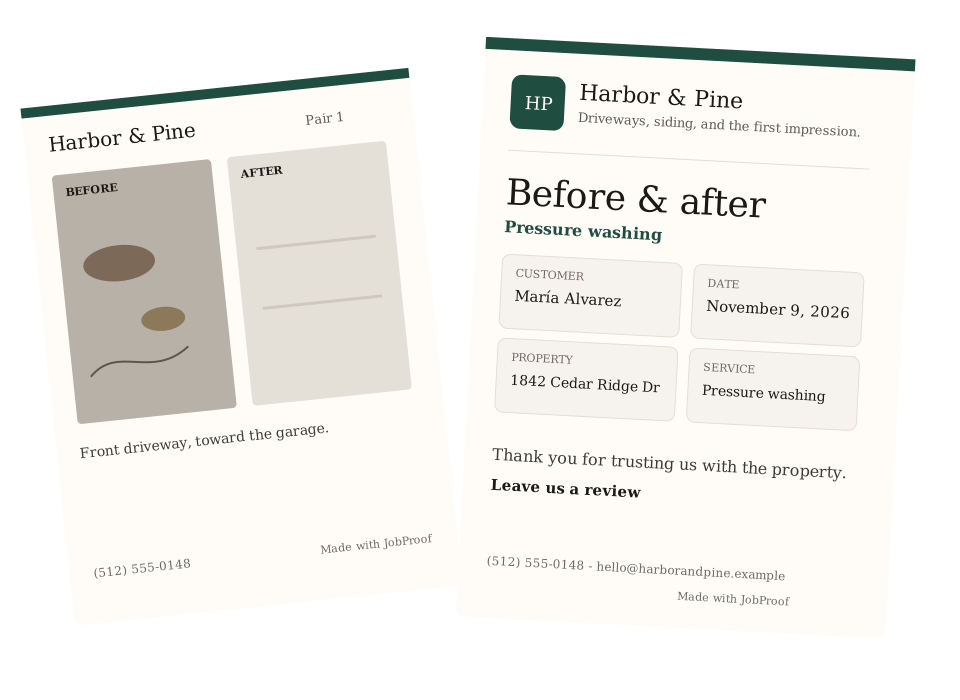
Logo, brand color, phone, and a review link. The customer sees your company, not a blank template with someone else's footer.
Camera or camera roll, a caption on each pair, then text or email the PDF before you roll the hose up. Reorder pairs with a thumb.
Free reports include a small JobProof line. One payment removes it and unlocks every layout. Not a monthly plan.
$0
$9 USD, once
$9 USD — Remove watermark & unlock all templates
A lot of field-report software bills every month. JobProof is a single payment of $9 USD.
No. Photos, your logo, and the job details stay in this browser. The PDF is built on the device you are holding. JobProof does not have an account and does not send the pictures to a server.
Yes. Add photos from the camera or the camera roll, write a caption, and download or share the PDF. It is laid out for a phone first, and it also works on a laptop.
It removes the “Made with JobProof” line and unlocks the Bold and Minimal layouts. The Clean layout stays free. The unlock is stored in this browser. There is no subscription.
There is no login. A new phone, or a cleared browser, does not keep the unlock or your saved draft. You would pay again on that device once checkout is connected.
Where the browser can decode HEIC, yes. Safari on iPhone usually can. If it cannot, JobProof says so. Use JPEG or PNG, or set the camera to Most Compatible.
No. Free reports are free. The paid unlock is $9 USD once, for this device, when card checkout is connected.
Whoever you send the PDF to, and anyone with this browser on this device. JobProof itself does not receive it. The privacy page describes exactly what is stored.
Four steps. The PDF is made on this phone. Business details are saved in this browser.
Add before-and-after pairs. Photos are resized on this device so the PDF stays small. HEIC works when the browser can read it. Nothing is uploaded.
No pairs yet. Photograph each area twice — once before the work, once after.
Bold and Minimal are locked until the watermark is removed.